Performance Max gets a mixed reputation. Advertisers who’ve had bad experiences with it usually share a common story: they set it up based on outdated guidance, gave the algorithm bad inputs, changed things too often during the learning phase, and then concluded the campaign type doesn’t work.
Advertisers who run it well tend to have a different experience.
PMax has also changed significantly since its launch in 2021. Features that advertisers spent years asking for – channel-level reporting, brand exclusions, Search Themes, better creative controls – are now available. Running PMax without knowing about these updates means leaving real optimisation levers unused.
This guide covers both: how to set up Performance Max correctly from the start, and how to make use of the new controls that are now available in 2026.
What Performance Max Actually Does
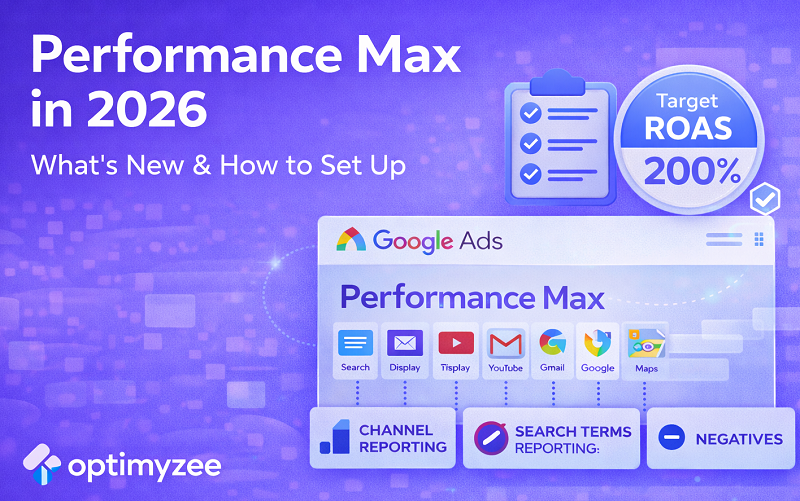
Performance Max is Google’s fully automated, cross-channel campaign type. A single PMax campaign can serve ads across Google Search, Google Display Network, YouTube, Gmail, Discover, and Google Maps – all at the same time, with the same budget.
Google’s AI handles where to show your ads, who to show them to, which assets to combine, and how to bid – all in real time, optimising toward the conversion goals you set.
The promise: one campaign to reach customers at every stage of their journey, across every surface Google owns, with machine learning making the moment-to-moment decisions faster and more accurately than any human can.
The reality: it works well when you give it the right inputs. It struggles when you give it unclear goals, weak creative, or insufficient conversion data. The rest of this guide is about making sure you’re in the first category.
Before You Launch: The Three Things That Determine Success
1. Conversion Tracking Must Be Airtight
Performance Max optimises toward whatever conversion actions you’ve set up. If your tracking is incomplete, duplicating conversions, or measuring the wrong actions, the AI will optimise toward the wrong thing – and your results will reflect that.
Before launching PMax, verify:
- All key conversion actions are firing correctly (purchases, form submissions, phone calls, app installs – whatever matters for your business)
- No duplicate conversion events are being counted
- Conversion values are set up if you’re running e-commerce (this enables value-based bidding, which significantly improves PMax performance)
- Google Ads and Google Analytics are linked and tracking the same conversions consistently
If you’re not sure whether your conversion tracking is accurate, fix that before launching PMax. The entire campaign’s performance depends on it.
2. Your Bidding Strategy Needs to Match Your Data
PMax uses Smart Bidding, and Smart Bidding needs conversion data to work. The strategies available:
- Maximize Conversions: get as many conversions as possible within your budget. Best for new campaigns building up data.
- Maximize Conversion Value: focus on total revenue rather than conversion volume. Best for e-commerce with different product values.
- Target CPA: optimise toward a specific cost per acquisition. Requires at least 30–50 conversions per month to work reliably.
- Target ROAS: optimise toward a specific return on ad spend. Requires consistent conversion value data and sufficient volume.
The common mistake: setting Target CPA or Target ROAS on a brand-new campaign with no conversion history. The algorithm has no data to learn from, and performance is unpredictable. Start with Maximize Conversions, build up 30+ conversions per month, then shift to a target-based strategy.
3. Your Budget Needs to Cover the Learning Phase
PMax campaigns go through a learning phase of 2–4 weeks after launch (and after any significant changes). During this period, the algorithm is exploring which channels, audiences, and asset combinations work best.
Performance during learning is unstable – you’ll see fluctuations in CPA, inconsistent conversion volume, and unusual spend patterns. This is normal. The mistake is making major changes during this period, which resets learning and extends the instability.
Rule of thumb: budget at least 15–20x your target CPA as a daily budget during learning. If your target CPA is £50, budget at least £750–£1000 per day. This gives the algorithm enough volume to learn from quickly.
Setting Up Asset Groups: The Most Important Configuration Decision
Asset groups are the creative building blocks of PMax. Each asset group contains the headlines, descriptions, images, videos, and URLs that Google combines to create ads across different channels and placements.
The key decision: how many asset groups to create, and how to organise them.
The wrong approach – and the most common mistake – is creating asset groups that mirror your product catalogue. One asset group per product category, with all related assets dumped in. This gives the algorithm too broad a brief and leads to generic, unfocused ads.
The right approach is to organise asset groups around audience intent or customer type. Ask: who is searching for this, and what do they care about? Then build each asset group to speak directly to that person.
Examples:
- If you sell B2B and B2C, create separate asset groups. The messaging, imagery, and landing pages for a procurement manager are completely different from an individual consumer.
- If you sell across price tiers (budget vs premium), separate them. Someone searching for “affordable” signals different intent from someone searching for “best quality.”
- If you have different geographic markets with different offers, separate them. Localised messaging outperforms generic copy.
Each asset group should have a clear, coherent identity. The algorithm performs better when it can match the right assets to the right audience, and it can only do that if the assets within a group are consistent with each other.
What’s New in 2026: Five Features You Should Be Using
1. Channel-Level Performance Reporting
This was the most requested PMax feature for years, and it’s now available. You can see exactly how your campaign is performing across Search, Display, YouTube, Gmail, Discover, and Maps – broken out individually.
This changes how you diagnose problems. Instead of looking at blended campaign metrics and guessing where budget is going, you can see which channel is driving conversions and which is absorbing spend without results. Check this report weekly and use it to inform asset and budget decisions.
2. Search Themes
Search Themes are keyword-like signals you provide at the asset group level to guide what kinds of search queries PMax targets. They were introduced as a more flexible alternative to keywords – you’re not bidding on exact terms, but you’re giving the algorithm clear direction about the intent you want to capture.
Add 5–10 Search Themes per asset group that reflect the core search intent of that group. Be specific: “B2B cloud storage solution London” rather than just “cloud storage.” Vague Search Themes produce vague targeting.
Think of Search Themes as a brief to the algorithm, not a keyword list. The more clearly you communicate the intent you’re after, the better it performs.
3. Brand Exclusions
You can now exclude specific brand terms from PMax at the campaign level. This prevents PMax from competing against – or cannibalising – your dedicated brand Search campaigns.
This was a significant gap for years. Without brand exclusions, PMax would often show for branded queries, take credit for those easy conversions in reporting, and make performance look better than it was.
Set brand exclusions before your campaign goes live. If you’ve been running PMax without them, check your Search term insights for brand queries and add exclusions now.
4. URL Expansion Controls
Final URL expansion – where PMax sends traffic to whichever page it judges most relevant – is on by default. The controls have improved: you can now exclude specific URLs at a granular level rather than just toggling the feature on or off.
Audit your site before running with expansion enabled. Any page with thin content, slow load time, poor mobile experience, or weak conversion design should be excluded. This is especially important for e-commerce sites where landing page quality varies significantly across categories.
5. Asset-Level Performance Ratings
PMax now shows performance ratings for individual creative assets: Low, Good, or Best. This gives you a clear signal about which headlines, descriptions, images, and videos are contributing to performance and which aren’t.
Use this report monthly. Rotate out anything rated Low and replace it with fresh creative. Pay attention to patterns: if all your Low-rated assets share a similar tone or message, that’s a signal to rethink your creative approach for that asset group.
The Weekly Optimisation Checklist
PMax is automated, but it’s not set-and-forget. These are the things worth reviewing every week:
- Channel performance report – identify any channel consuming budget without producing conversions
- Asset performance ratings – flag Low-rated assets for replacement
- Search term insights – review what queries PMax is matching and check for irrelevant or brand traffic
- Audience insights – understand who is converting and whether it matches your intended customer
- Conversion tracking – spot-check that all conversion actions are firing correctly, especially after any site changes
- Budget pacing – make sure daily spend is on track and the campaign isn’t hitting budget caps that limit learning
Performance Max vs AI Max for Search: How They Work Together
These aren’t competing options – they’re complementary. Performance Max is built for cross-channel reach: one campaign running across Search, Display, YouTube, Gmail, Discover, and Maps simultaneously. AI Max for Search focuses specifically on the Search network, with greater transparency and more granular controls.
If you’re running PMax and want better visibility and control over how your Search budget is being spent, adding AI Max for Search alongside it gives you that. PMax handles the broad, cross-channel work; AI Max for Search handles high-intent search traffic with more precision.
For most advertisers – whether you’re a business owner managing your own campaigns or an agency running accounts at scale – running both makes sense once you have the conversion volume to support it.
Performance Max in 2026 is more controllable, more transparent, and more capable than the version many advertisers gave up on. The features that made it frustrating to manage have mostly been addressed. What remains constant is what was always true: give it clean conversion data, coherent asset groups, realistic bidding targets, and enough time to learn – and it performs. Skip any of those steps, and you’ll be disappointed regardless of how sophisticated the underlying AI is.