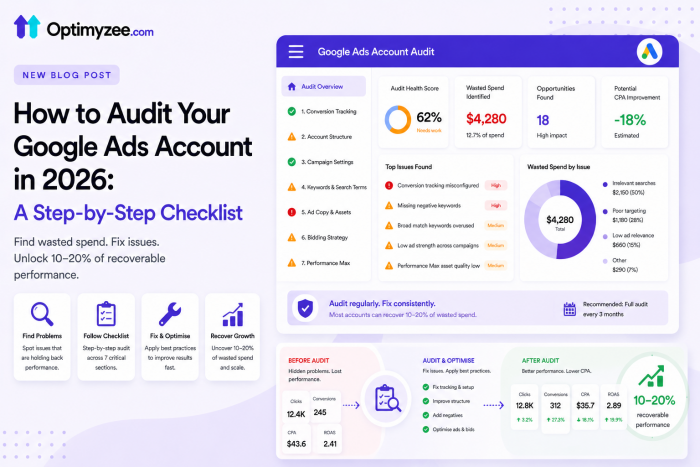
Quick Answer: A Google Ads audit is a structured review of your account to find where budget is being wasted, where performance is being limited by structural issues, and where opportunities are being missed. Start with conversion tracking – if that is wrong, every other finding is unreliable. Then work through account structure, campaign settings, keywords, ad copy, bidding strategy, and Performance Max. Run a full audit quarterly; do lighter weekly health checks between audits. A single audit typically uncovers 10–20% of recoverable wasted spend.
Most Google Ads accounts quietly lose efficiency over time. Campaign settings that made sense 18 months ago no longer align with current best practices. Negative keyword lists that were never built leave budget flowing to irrelevant queries. Smart Bidding runs on incomplete conversion data and optimises toward the wrong signals.
These problems do not always show up in top-line metrics immediately. ROAS might look stable while CPA is slowly drifting upward. Impression share might be holding while conversion volume is declining. A quarterly audit is how you catch these issues before they compound.
This guide walks through a complete Google Ads audit framework for 2026. It covers what to check in each area, in what order, and why each check matters. The checklist at the end of each section is designed to be used directly in your account review.
When and Why to Audit
Audit frequency should match account size and pace of change:
- Weekly health check (15–30 mins):
Search Term Report review, conversion tracking spot-check, budget pacing, any anomalies in impression share or CPA.
- Monthly review (1–2 hours):
Ad performance ratings, negative keyword expansion, Quality Score changes, campaign-level ROAS/CPA trends.
- Quarterly full audit (3–6 hours):
Complete structural review, bidding strategy evaluation, landing page alignment, conversion setup validation, PMax asset quality.
Reactive audits, triggered by a sudden drop in performance – should start with a change history review. Check the ‘Changes’ tab in Google Ads first, then verify conversion tracking verification, then campaign settings. Performance drops have three main causes: something changed in your account, something changed in Google’s platform, or something changed externally (competition, seasonality, landing page).
🔍 Data export before auditing: export 90 days of performance data before making any changes. This gives you a baseline to measure audit impact against – and protects you from making changes that could be confused with organic performance trends.
The Audit Order: Start With Tracking
The correct audit sequence is non-negotiable: start with conversion tracking, then account structure, then everything else. Why? If your tracking is wrong, every performance metric you are analysing is unreliable. An account that appears to have a ROAS problem might actually have a tracking problem. An account where some keywords appear to underperform might be miscounting conversions.
🚨 Fixing campaign settings before verifying tracking is the most common audit mistake. You can restructure, rewrite ad copy, and adjust bids all you want – if the algorithm is optimising toward a broken signal, nothing improves.
Section 1: Conversion Tracking
🔴 Highest Priority – Audit This First
- GA4 and Google Ads are linked – verify in both platforms (Admin → Product Links → Google Ads in GA4)
- Auto-tagging is enabled in Google Ads account settings
- The primary conversion action reflects an actual business outcome: purchase, form submission, qualified phone call – NOT a page view, button click, or scroll
- No duplicate conversion actions are counting the same event twice – check which are marked Primary
- Attribution model is set to Data-Driven Attribution (not Last Click)
- Conversion counting is correct: ‘One’ for leads, ‘Every’ for purchases
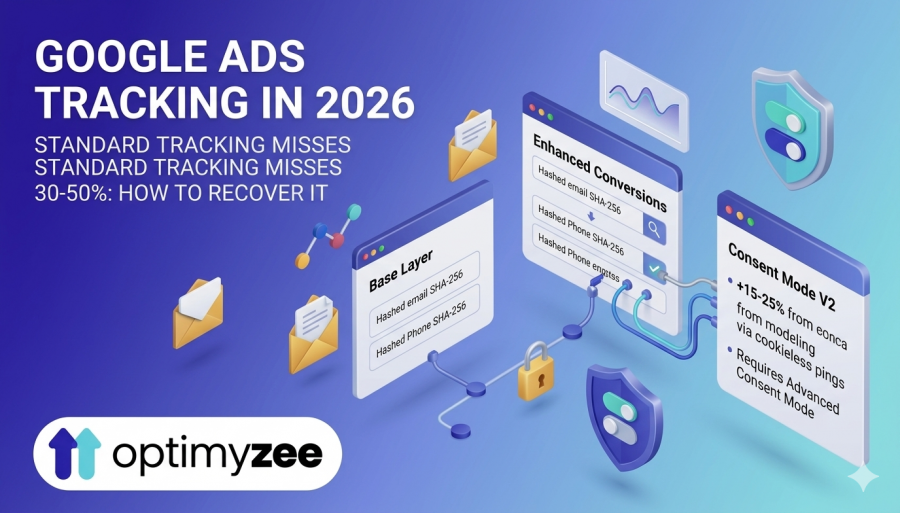
- Enhanced Conversions is enabled and showing ‘Active’ status in the Diagnostics tab (target: 50%+ enhanced match rate)
- Consent Mode V2 is implemented if serving users in EEA/UK – Basic or Advanced (prefer Advanced)
- Call conversion tracking has a minimum duration threshold set (60–90 seconds for most service businesses)
- No major discrepancy between Google Ads conversion count and GA4 goal completions for the same period
💡 Quick tracking check: in Google Ads, go to Tools → Conversions and look at each Primary conversion action. Check the ‘Recording conversions’ column – it should show recent activity. If a primary conversion shows 0 conversions in the past 30 days on an active account, investigate immediately.
Section 2: Account Structure
🟠 High Priority – Foundation of Everything Else
- Brand and non-brand campaigns are separated – brand traffic should not inflate non-brand ROAS
- No single campaign contains a mix of Search, Display, and Video – each campaign type is separate
- Campaign naming convention is consistent and self-explanatory (campaign type, objective, geo, match type)
- Ad groups contain 5–15 keywords sharing the same search intent – not 1 keyword (SKAG) or 50+ mixed keywords
- At least 1 active RSA (Responsive Search Ad) per ad group with 10+ headlines and 4 descriptions
- No ad groups that have received zero conversions in the past 90 days despite significant spend – candidates for consolidation
- No keyword overlap between ad groups in the same campaign (same keyword appearing in multiple ad groups)
- Each ad group points to a landing page relevant to that specific group’s theme – not to the homepage
📌 Quick structure audit: sort ad groups by cost descending. The top 20 ad groups typically account for 80% of spend. Focus your structural review here first – these are where structural issues cost the most.
Source: Digital Applied ‘Google Ads Audit Checklist 2026: 100+ Items to Fix’ – structural audit framework
Section 3: Campaign Settings
🟠 High Priority – Often Overlooked
- ‘Include Google Search Partners’ is turned OFF unless you have data showing positive ROAS from Partners (check via Segment → Network in your reports)
- ‘Include Google Display Network’ is turned OFF for all Search campaigns – this is still a default setting that wastes Search budgets
- Location targeting uses ‘Presence’ (not ‘Presence or Interest’) for local businesses – ‘Presence or Interest’ shows ads to people outside your service area
- Ad rotation is set to ‘Optimize’ – ‘Rotate evenly’ is outdated and appropriate only for controlled A/B test periods
- Enhanced CPC (eCPC) is not in use – it is largely deprecated in 2026; switch to Maximize Conversions or Target CPA
- No active campaigns are using budget caps so tight they limit learning – campaigns regularly hitting daily budget caps are underdelivering and limiting Smart Bidding data
- Device bid adjustments (if any) are based on actual performance data, not legacy assumptions
- Ad scheduling (if active) reflects actual business hours and proven conversion windows – not default 24/7
⚠️ Search Partners and Display Network: these are enabled by default for all new campaigns and grandfathered in for old ones. They are the most common source of quiet budget waste in accounts that have never been audited. Check them first in the settings review.
Section 4: Keywords and Search Terms
🟡 Medium Priority – Ongoing Maintenance
- Search Term Report reviewed in the past 14 days – for all active Search campaigns
- Account-level negative keyword list exists with common irrelevant terms (jobs, free, reviews, competitors you don’t bid on)
- Campaign-level negatives exclude terms relevant to other campaigns (brand terms in non-brand campaigns)
- No keywords with Quality Score 1–3 are consuming significant spend without a clear business reason
- Keyword match type strategy is documented – intentional use of broad, phrase, or exact for each campaign
- If using broad match: Smart Bidding is active (Target CPA, Target ROAS, or Maximize Conversions) – broad match without Smart Bidding is risky
- Search Terms Report is filtered for ‘Search categories’ in PMax – review what search intents the campaign is capturing
- No keywords with duplicate exact same text in different match types in the same ad group (creates internal auction competition)
💡 Quick negative keyword win: filter Search Terms Report for the past 90 days. Sort by Cost descending. The top 20 most expensive search terms that did not convert are your immediate negative keyword candidates – add them to campaign or account-level lists.
Section 5: Ad Copy and Assets
🟡 Medium Priority – Affects CTR and Quality Score
- Every active RSA has an Ad Strength of ‘Good’ or ‘Excellent’ – ‘Poor’ or ‘Average’ indicates missing headlines or descriptions
- RSA headlines include: primary keyword or theme (at least 2), unique selling points, call to action – not all generic
- No headlines that only make sense in combination with specific other headlines – each headline should work standalone
- Ad assets (sitelinks, callouts, structured snippets, call assets, image assets) are populated at campaign or account level
- Call assets are scheduled to business hours only – if enabled – to avoid calls outside answering capacity
- Asset performance ratings reviewed: any assets rated ‘Low’ should be replaced with fresh creative
- Ad copy reflects current offers and promotions – no outdated seasonal messaging, discontinued products, or changed pricing
- At least one RSA per ad group has been modified or refreshed in the past 90 days – ad fatigue is real
Section 6: Bidding Strategy
🟡 Medium Priority – Directly Affects CPA and ROAS
- Each campaign’s bidding strategy matches its conversion volume and business objective
- Target CPA or Target ROAS targets are set based on actual business economics – not just what the account has been achieving
- No campaign using Target CPA or Target ROAS has fewer than 15 conversions in the past 30 days – below this, Smart Bidding is unreliable
- New campaigns start on Maximize Conversions (not Target CPA/ROAS) until sufficient conversion history accumulates
- Portfolio bid strategies are used where multiple campaigns share the same performance objective – data pooling improves learning
- Smart Bidding Exploration is not enabled unless the account has 50+ weekly conversions and ROAS is consistently above target – it is not for struggling accounts
- Manual CPC is only used for brand campaigns and specific test scenarios – not as a default bidding approach
- No bidding strategy changes in the past 14 days – changes reset Smart Bidding learning
🔍 Bidding strategy audit shortcut: sort campaigns by conversion volume (last 30 days). Campaigns with <15 conversions using Target CPA or Target ROAS are the most likely to be underperforming due to insufficient data. Mark these for bidding strategy review.
Section 7: Performance Max
🟡 Medium Priority – Requires Its Own Checklist
- Set brand exclusions in PMax settings so PMax doesn’t compete with your brand Search campaigns for brand traffic
- Configure URL expansion with specific page exclusions, and exclude any pages with weak content, thin copy, or poor conversion design
- Apply account-level negative keyword lists to PMax campaigns to prevent brand-unsafe placements
- Organize asset groups by audience intent or product category, not just by product name
- Give each asset group 10+ image assets, 5 videos (or auto-generated video enabled), 10+ headlines, and 5 descriptions
- Review asset performance ratings monthly and replace any assets rated ‘Low’
- Set Search Themes per asset group (5-10 specific intent themes) to guide AI targeting
- Review the channel performance report weekly to check which channels consume budget without producing conversions
- Review the Audience insights tab to verify that converting audiences match your intended customer profile
- Audience insights tab reviewed – verify that converting audiences match your intended customer profile
- PMax is not cannibalising top Search campaigns – check for shared keywords appearing in both PMax search insights and Search campaign reports
What to Do With Your Findings
An audit produces a list of issues. The challenge is prioritising which to fix first without overwhelming the account with simultaneous changes – each significant change can reset Smart Bidding learning phases.
Use this prioritisation framework:
Fix immediately (Week 1–2): Broken conversion tracking, Display Network enabled on Search campaigns, Search Partners running without data, incorrect conversion actions marked as Primary. These create active harm every day they remain unfixed.
Plan as projects (Week 3–6): Account structure consolidation, landing page improvements, negative keyword expansion, bidding strategy migrations. These require more careful implementation and learning phase management.
Optimise continuously: Ad copy refresh, Search Term Report reviews, asset performance ratings, Quality Score improvements. These are ongoing maintenance tasks, not one-time fixes.
⚠️ Never make more than 2–3 significant changes simultaneously. Tracking which change drove which outcome is impossible when multiple changes happen at once – and each major change resets Smart Bidding’s learning phase.
Document your audit findings and the fixes you implement. A written record of what was found, what and when was changed, allows you to attribute performance changes accurately and build institutional knowledge about your account over time.
FAQ
How long does a Google Ads audit take?
A comprehensive quarterly audit takes 3–6 hours for a mid-sized account (5–15 active campaigns). A weekly health check takes 15–30 minutes. The time investment depends heavily on how well-documented the account is – accounts with clear naming conventions, documented bid strategy rationale, and change history records audit faster. The first audit of any account typically takes longer because you are building context that makes future audits faster.
What is the most common finding in a Google Ads audit?
In order of frequency: (1) Search campaigns still have Display Network turned on, almost universal in accounts nobody has audited; (2) teams set up conversion actions incorrectly or duplicate them, often because both a GA4 import and a separate Google Ads tag count the same conversion; (3) the account has no negative keyword list at the account level; (4) ad groups contain too many unrelated keywords with no cohesive intent; (5) campaigns run Target CPA or Target ROAS with fewer than 15 monthly conversions. Any one of these can significantly limit campaign performance.
Should I audit Performance Max separately from Search campaigns?
Yes – PMax requires a different audit checklist because it operates differently. For PMax, the audit focuses on asset quality and ratings, audience signal setup, URL expansion settings, brand exclusions, channel performance, and search insights rather than keyword-level analysis. The fundamentals – conversion tracking, bidding strategy, learning phase – apply to both. Run the shared checks first, then the PMax-specific checks as a separate pass.
How do I know if my conversion tracking is actually working correctly?
Three checks: First, compare Google Ads conversion count with GA4 goal completions for the same conversion action over the same 30-day period – they should be within 10–15% of each other (some discrepancy is normal due to attribution differences). Second, check the Diagnostics tab for your primary conversion action in Tools → Conversions – it should show ‘Recording conversions’ status and no error flags. Third, verify Enhanced Conversions is active with a match rate above 50% for your key conversion actions.
How often should a new account be audited?
New accounts (0-3 months) should be reviewed weekly for the first 8 weeks. The learning phases, budget pacing, and conversion data accumulation during this period require close attention. After the initial learning period stabilises – typically once campaigns have 15+ conversions per month – move to monthly reviews with weekly health checks. Quarterly full audits are appropriate from month 4 onwards.
The Bottom Line
A Google Ads audit is not a one-time exercise for accounts in trouble. It is a systematic practice that keeps well-performing accounts on track and identifies drift before it becomes damage. The accounts that consistently outperform their competition are not those that launch the most new features – they are the ones that maintain disciplined account hygiene and regularly verify that automation is working with accurate inputs.
The checklist in this guide is a starting point. Your specific account will have additional checks based on your campaign types, industry, and business model. The sections on conversion tracking and account structure are non-negotiable regardless of those specifics – everything else builds on those foundations.
Start with tracking. Then structure. Then work through the rest in order of budget impact. Document what you find. Prioritise by effort and revenue impact. Implement changes one at a time and allow Smart Bidding to stabilise between significant modifications.
→ Want a faster way to identify structural issues in your Google Ads account? Optimyzee analyses your keyword grouping, ad group organisation, and campaign architecture – surfacing the structural gaps that a manual audit would take hours to identify.
Sources
Digital Applied: ‘Google Ads Audit Checklist 2026: 100+ Items to Fix’ – comprehensive audit framework
Optmyzr: ‘Google Ads Audit: A Step-by-Step Process (2026 Guide)’ – agency-level audit methodology
Promodo: ‘Google Ads Audit Checklist 2026: Get the Most Out of Campaigns’ – tracking and PMax audit sections
upGrowth: ‘Google Ads Agency Scope Checklist 2026’ – structure and conversion audit standards
Akbadhak: ‘Complete Google Ads Audit Checklist for Every Campaign 2026’ – campaign settings checklist
Single Grain: ‘Google Ads Audit Template: A Comprehensive Checklist’ – keyword and ad copy audit framework
Google Ads Help: ‘About Quality Score for Search campaigns’ and ‘About ad quality’ – conversion tracking verification